

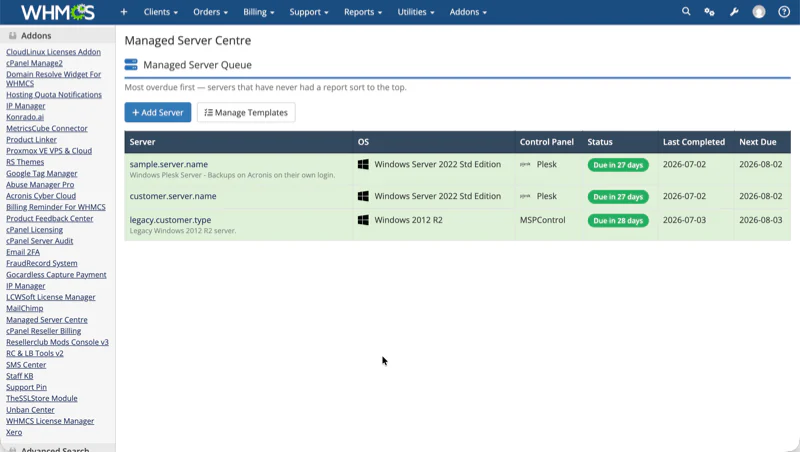
Managed Server Centre
A bespoke WHMCS addon module that turns invisible, behind-the-scenes server maintenance into a structured, repeatable and client-visible service.
Managed hosting is a trust product
Our client sells fully-managed VPS and dedicated server plans. Behind the scenes, their engineers carry out real, skilled maintenance every month — Windows updates, security scanning, control-panel upgrades, backup verification. But the process lived in people’s heads and scattered notes: no central queue of what was due, no consistent checklist per server type, and crucially no way for the customer to see the work they were paying for. If clients can’t see the maintenance happening, its value is invisible.
Structured, repeatable, client-visible
We designed and built the Managed Server Centre — a WHMCS addon module that turns managed-server maintenance into a structured, repeatable and client-visible service. It gives support staff a live work queue, gives management enforceable process, and gives every client a polished “Management Centre” inside their existing client-area login, complete with branded PDF reports. It reads the configurable option customers actually buy — no duplicate flags, no third-party module hacks — so nothing slips through the cracks.
A closer look inside
Three surfaces do the heavy lifting — a prioritised queue for management, a powerful template system for consistency, and an honest report centre that turns background work into evidence a client can see.
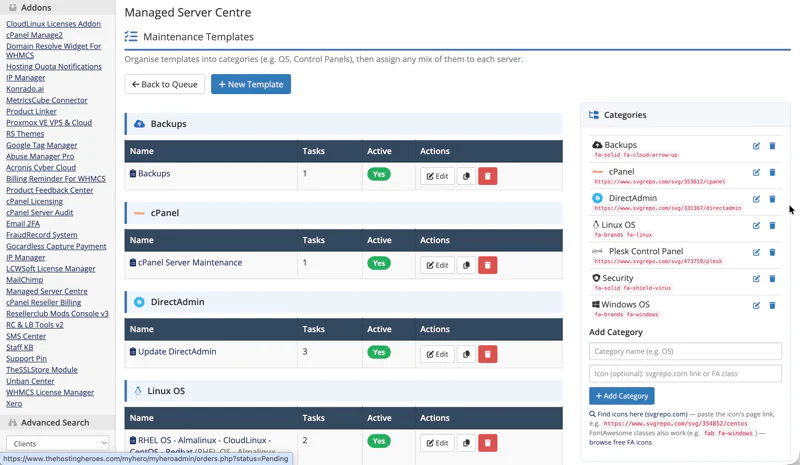
The same process, every server, every time
Checklists are built from reusable templates, organised into categories — Operating Systems, Control Panels and more, each with its own icon. A Windows 2025 box gets different tasks than an AlmaLinux one; Plesk differs from cPanel. Duplicate a template to spin up a variant in seconds.
- Each server runs multiple templates in a defined order — Windows Updates first, always.
- A private per-server custom template captures client-specific requests, folded into the run order.
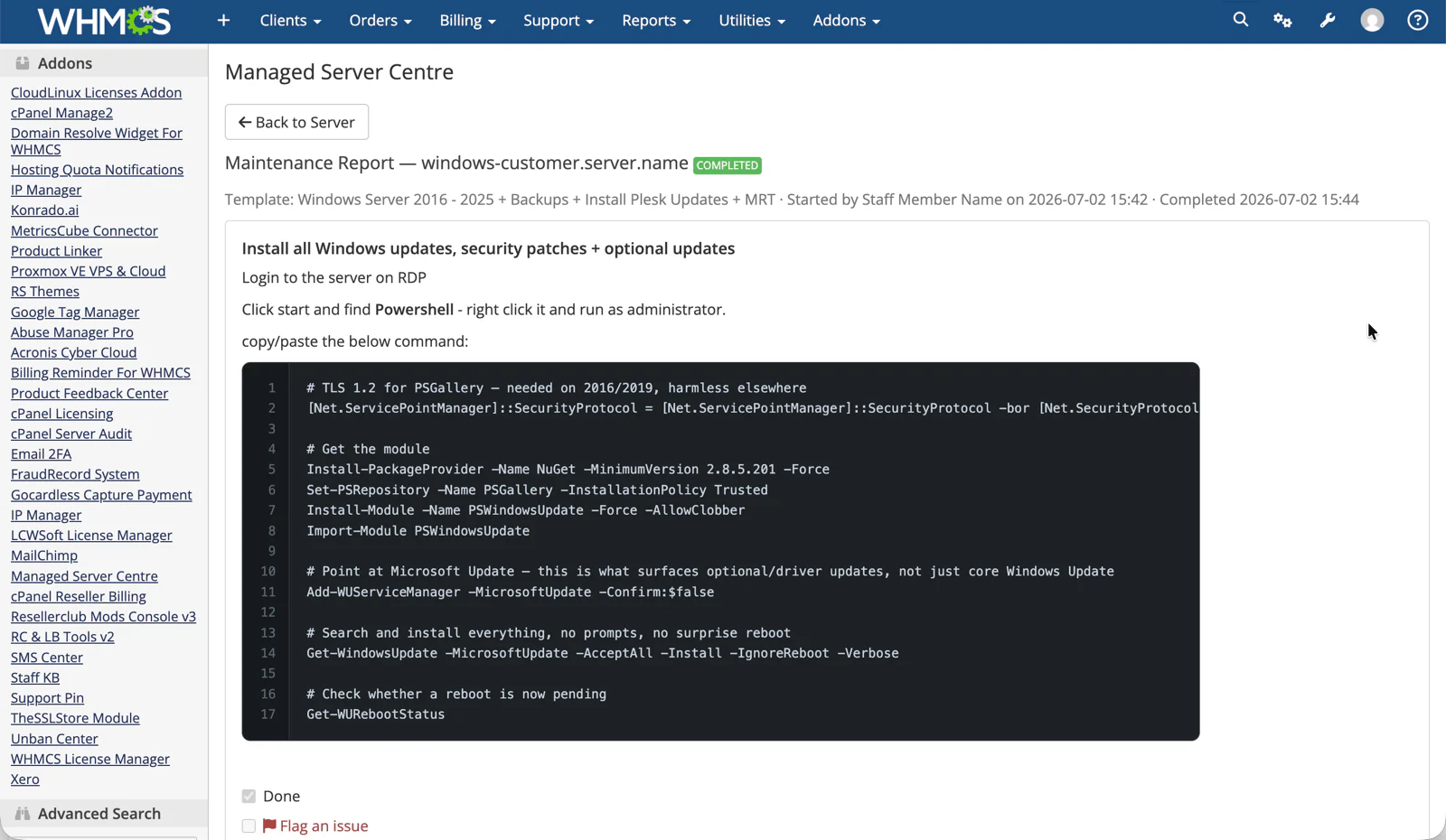
Instructions engineers can actually follow
Task instructions are written in a full WYSIWYG editor with drag-and-drop image upload. Engineers see Atlassian-style code blocks — dark, line-numbered, one-click copy — so a 15-line PowerShell script goes from instruction to terminal without a single mis-typed character.
- Starting a report snapshots the templates, so past reports never mutate as checklists evolve.
- A completion guard lists any unfinished tasks by name and demands completion or an explicit override.
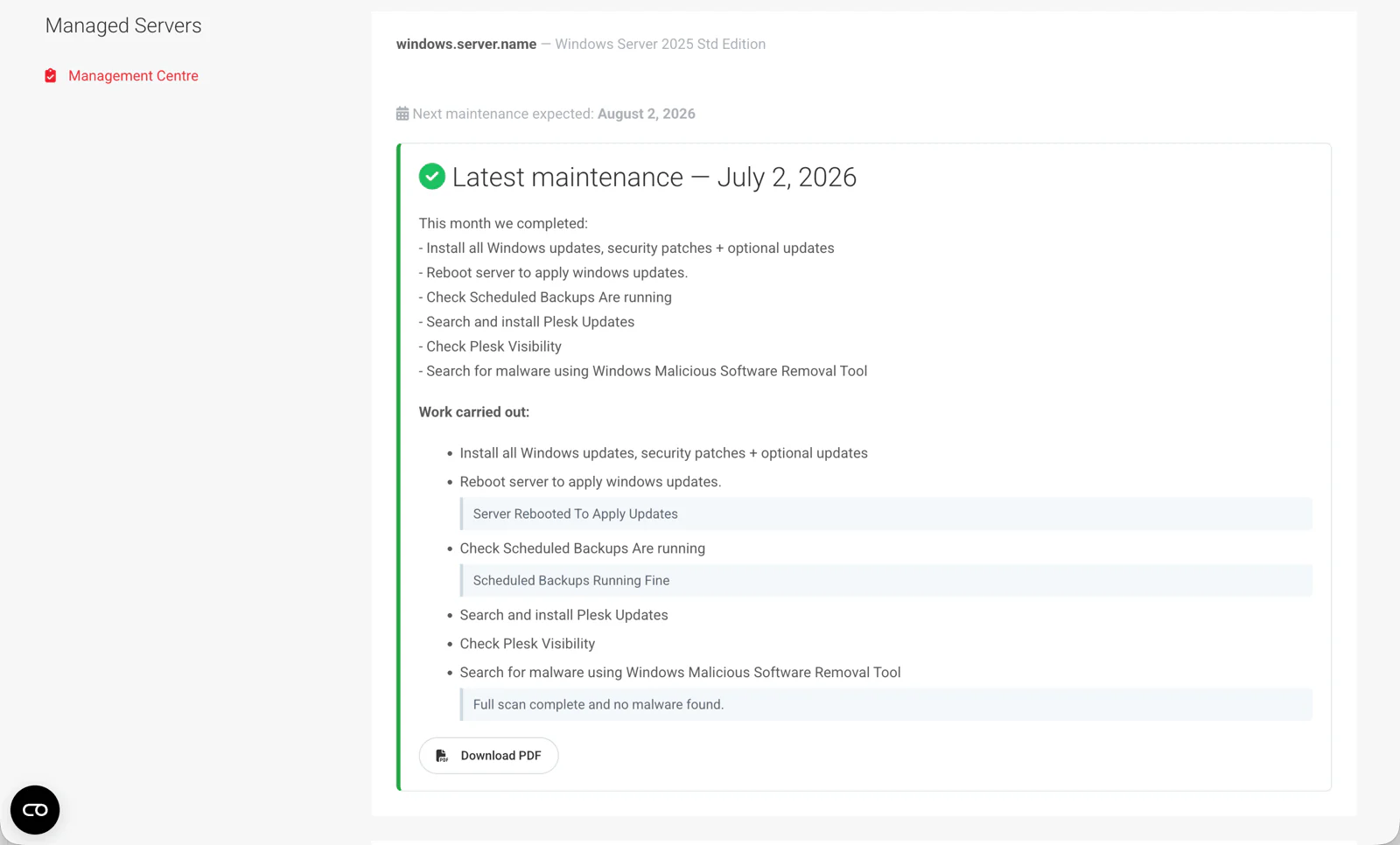
Invisible work, made visible
Every managed client gets a Management Centre in their normal client area. The latest report shows in full — summary, completed checklist, findings, published issues and the next expected date — while older months collapse into a tidy history. Clients only ever see work genuinely completed; internal notes never leak.
- Findings like “full scan complete, no malware found” become documented proof of diligence.
- One click exports a branded PDF a client can forward to their own management as proof of value.
Copy-paste-ready, every time
This is the exact code-block component engineers see inside a task — line-numbered, syntax-friendly and one click from the clipboard. Try the Copy button:
# TLS 1.2 for PSGallery — needed on 2016/2019, harmless elsewhere
[Net.ServicePointManager]::SecurityProtocol = [Net.ServicePointManager]::SecurityProtocol -bor [Net.SecurityProtocolType]::Tls12

# Get the module
Install-PackageProvider -Name NuGet -MinimumVersion 2.8.5.201 -Force
Set-PSRepository -Name PSGallery -InstallationPolicy Trusted
Install-Module -Name PSWindowsUpdate -Force -AllowClobber
Import-Module PSWindowsUpdate

# Point at Microsoft Update — surfaces optional/driver updates, not just core Windows Update
Add-WUServiceManager -MicrosoftUpdate -Confirm:$false

# Search and install everything, no prompts, no surprise reboot
Get-WindowsUpdate -MicrosoftUpdate -AcceptAll -Install -IgnoreReboot -Verbose

# Check whether a reboot is now pending
Get-WURebootStatus
Engineered for the long haul
Under the surface: a self-healing database layer that creates and migrates its own schema automatically on upgrade — no manual SQL, ever. CSRF protection on every action, strict output escaping, and client data scoped rigorously to the logged-in account. Cascading clean-up when servers are deleted, and defensive touches everywhere — from graceful logo fallbacks in PDFs to editors that degrade cleanly if a CDN is unreachable. A daily cron flags un-onboarded managed services to the WHMCS activity log, so nothing is ever forgotten.
The outcome
Managed hosting is sold on trust. This module manufactures the evidence for it — every single month, automatically.
A living, prioritised maintenance operation instead of tribal knowledge — discovery, scheduling and enforcement built in. Nothing gets missed, and every engineer follows the same process.
Clear instructions with copy-paste-ready scripts, sensible workflows, and guardrails that catch mistakes before a client ever sees them.
Visible, professional, monthly proof that their managed plan is worth every penny — a report centre and branded PDFs that turn invisible background work into a retention tool.